|
Site
settings
This site has been built to view on a screen resolution of
1024 x 768. Viewing on a lower resolution will distort the
proportions of the images and may hide parts of the page.
Version 4+ browsers will be able to view this site as it was
intended.
If
you got here on your own you really
do not need any help.
-
You have got here by Clicking
 - on the top right hand side of each page - which has brought
you to this page.
- on the top right hand side of each page - which has brought
you to this page.
The
rest of the program behaves in the same reactive way -
just point and Click.
-
Point your Mouse or cursor on to any blue line or blue
text - for example - at the title of a painting, say
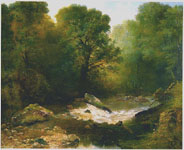
Rocky
Forest Pool 1857
and an image of that painting will appear and stay on for
as long as you keep you Mouse still. The small image
of Rocky
Forest Pool 1857 in
the top right hand corner is active and will
enlarge itself when touched on.
-
Similarly if you point your Mouse at a red footnote
 it will appear automatically and stay on for as long as you
wish, provided you keep your little rodent still.
it will appear automatically and stay on for as long as you
wish, provided you keep your little rodent still.
-
The Index - to your left in the black border -
is also active, so if you want to ---
Point and Click
- Go directly to any page: point to
it and it will be underlined in yellow . Click
on
the underlined title or Sun.
- Turning the Page: Can be done in 3
Ways:
1.) As above: Re-read
the paragraph above.
2.) To go forwards: At the bottom
of each page Click
on the  button or
3.)
To
go backwards: Click
on the  button
-
Explore the Painting: Click on Next
slide to go to the next 'region' of the painting for
an explanation of meaning.
- Click on Last slide to go back.
For
Further information: click here.
To
contact the A.A.T. Curator: click here.
The Curator: DenysAndrianjafy@ArtandArchitecturalTrust.org
To leave the Site: Click the  button at the top-right of the page, or press alt+F4.
|